A topic in,
a finished YouTube video out
Lumina is an app for your PC. Give it a topic, and it writes the script, draws every frame in one style, records the voice-over, turns key frames into short clips and puts the video together with subtitles and a cover.
You need a Windows 10/11 PC, Chrome and a Google account
Scroll: watch a topic become a video ↓01You type a topic
02Lumi writes the script
03Every frame is drawn
04It speaks the voice-over
05Your video is ready
A real video Lumina made from this one topic: 1:56, in one style from the first frame to the last.
Download for WindowsHook
1347
Ships
Rats
Doctors
Ending
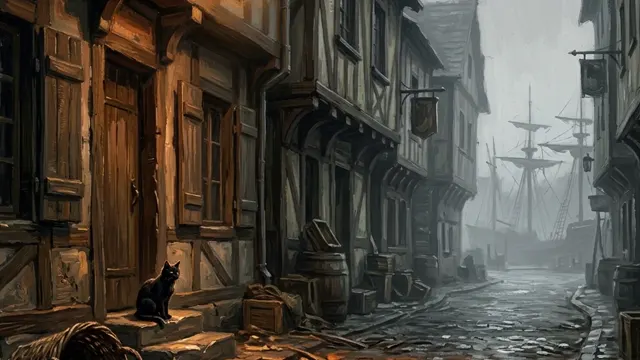






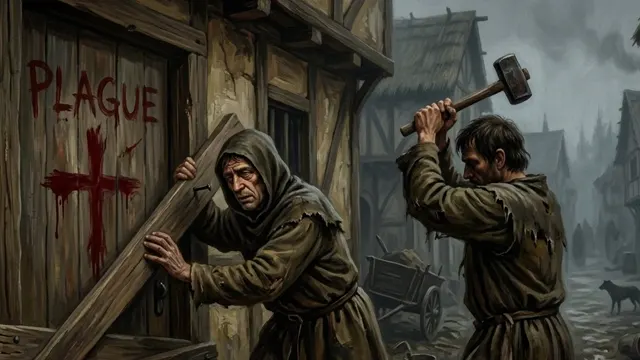




Three videos — three different looks
The app made all three, from the topic to the finished video. You choose the look: cinema, cartoon or painting.
Saw a video that took off? Make yours in the same format
Paste a YouTube link or drop an mp4. Lumina watches it and takes apart what makes it work, then makes your video in that format, on your topic or on one it suggests.
- The hook, the structure and the delivery
- The pace of speech and how often the shots change
- The look of the pictures and the pattern of the title
- New text and new pictures: the same format, not a copy



The video is ready — and so is everything for YouTube
The title, the description and the covers are written for this very video: its real subject, people and events, not generic filler.
titles
Each from its own angle: intrigue, a question, the stakes, a fact, the story. Curiosity without lying.
description
A hook for the preview, a short summary, chapters with timecodes and hashtags.
search tags
10 to 15 tags about the subject: names, places, events, dates. No «facts» or «top».
covers
Three different covers with big lettering: upload all three for the A/B test in YouTube Studio.
Three pieces that work together
Setting it up takes about ten minutes once. The «Download» page walks you through every step.
The Lumina app
Makes the whole video on your PC: script, voice, clips and the final MP4. Windows 10/11; Mac is coming.
Lumina Connect in Chrome
A Chrome extension that links the app to your Google Flow. It updates itself.
Your Google account
Pictures and clips are drawn in Google Flow under your own account. You sign in to Google yourself in Chrome.
Made for faceless channels
Topics with a hook
Lumi offers simple, clickable topics and keeps to your channel's niche.
One look, the same heroes
Heroes are drawn from their portraits in every frame, in clothes of their time.
Every picture checked
A frame that does not match the text or the style is redrawn before the video is made.
Living clips
Key frames turn into short animated clips, several at once.
Subtitles that match
Subtitles in the video look exactly as in the app's player.
Vertical Shorts
9:16 for Shorts and Reels, like the Genghis Khan video above.
A plan gives credits for the app
A subscription adds credits every month; the app spends them on your videos: a minute of video is 10 credits, a living clip 5. There is no “unlimited”: credits are a clear cap you can plan around. The app's licence key comes with the plan and is in your account.
Questions
What do I need to start?
A PC with Windows 10 or 11, the Chrome browser and a Google account. The installer, the Lumina Connect extension and a step-by-step guide are on the «Download» page.
Is there a Mac version?
Not yet, it is on its way. When it is ready, it will appear on the «Download» page and in our Telegram channel.
Why does it need my Google account?
Pictures and clips are drawn by Google Flow under your account, through the Lumina Connect extension in your Chrome. You sign in to Google yourself; the app does not need your Google password.
What are credits?
A plan adds credits every month, and the app spends them on videos. Your balance and every charge or refund are in your account on this site. Subscription credits last until the end of the paid period; credits from one-off packs stay valid for 6 months.
Where is my licence key?
In your account on this site, after you pay for a plan. You enter it in the app on the first start; each paid month extends it.
Can I still make videos on the website?
No: videos are made in the app now. The website keeps your account: plan, credits, licence key and support.
Can I cancel?
Yes, at any time. The paid period runs to its end, and nothing more is charged.
Make your first video today
Download the app, connect Chrome and give it a topic.